AI image generation is moving beyond single-subject artwork. Creative teams increasingly need visuals that contain structured information, readable copy, realistic product detail, and layouts that can survive review.
According to the official Qwen Image 3.0 announcement, the third-generation model is built around that shift from images that merely look good to images that are useful in production. Its headline improvements cover three areas: richer content, more authentic detail, and deeper visual knowledge.
For marketing, education, e-commerce, and product teams, the practical question is not just what changed in the model. It is which workflows may now require fewer manual corrections.
Qwen Image 3.0 at a glance
The official release highlights four specifications that shape the upgrade:
- Up to 4.5k tokens of prompt input for describing dense, multi-part compositions.
- Text as small as 10px rendered with improved legibility.
- Native rendering across 12 languages for multilingual visual content.
- More than 100 artistic styles, plus knowledge of familiar web, game, livestream, and software interfaces.
These capabilities target a persistent gap in AI image tools: a model may understand the general idea of an infographic or landing page, yet lose accuracy when the brief includes many sections, exact labels, formulas, UI states, or small supporting text.
1. Longer prompts make editorial layouts more practical
Most production briefs contain more than a subject and a style. A campaign visual may need a headline, product benefits, pricing, legal copy, icons, a brand palette, and a clear reading order. Earlier models often dropped elements or allowed one region to interfere with another as the prompt became longer.
Qwen Image 3.0 accepts up to 4.5k tokens of input. The newspaper example from the official release combines a masthead, multiple columns, small body copy, a visual timeline, callout panels, and realistic paper texture in one composition.
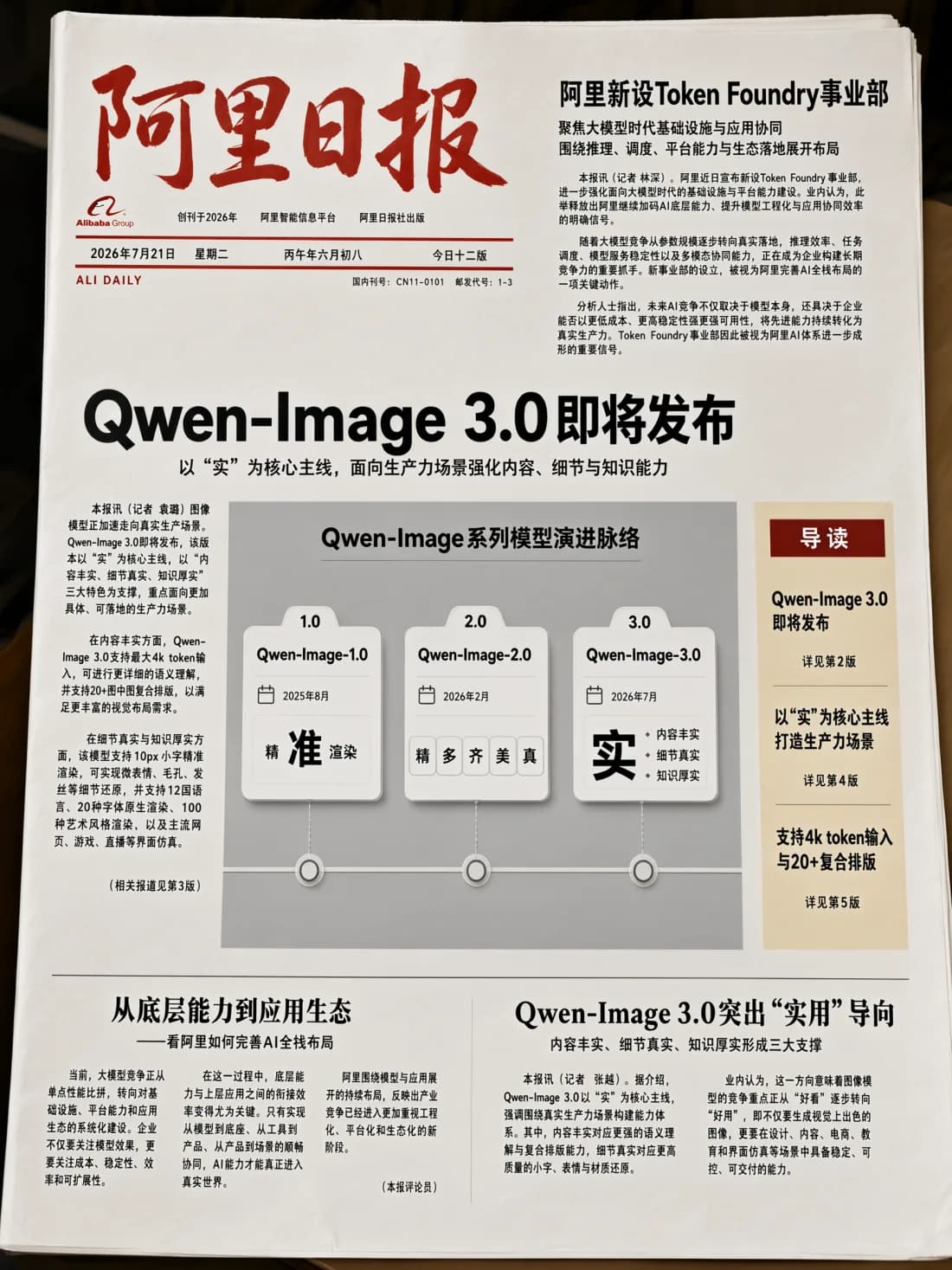
For SaaS teams, this matters most when one asset contains several coordinated modules:
- Product comparison charts
- Social carousels and storyboards
- Course slides and worksheets
- Feature overview graphics
- Reports, newspaper-style pages, and infographics
The improvement does not remove the need for a clear brief. It gives the model more room to preserve that brief without compressing away important requirements.
2. Smaller text expands the range of usable assets
Text rendering is often where an attractive AI image stops being production-ready. Qwen Image 3.0 specifically targets small copy, including text around 10px, mathematical notation, superscripts, subscripts, Greek characters, and multi-line formulas.
Potential use cases include:
- Educational diagrams and revision sheets
- Data-rich marketing graphics
- Packaging and editorial concepts
- Presentation slides
- Research and technical illustrations
Readable generation is not the same as verified information. Names, numbers, formulas, dates, and compliance copy should always be checked before an asset is published.
3. Authentic detail goes beyond photorealistic faces
The official release describes micro-level rendering of pores, hair strands, skin texture, fibers, brushstrokes, and material surfaces. These details matter when a generated asset needs to survive a close crop or high-resolution placement.

The portrait preserves individual strands of hair, natural skin variation, soft fabric folds, and layered foliage. The same focus on material realism appears in non-photographic subjects.


For e-commerce and campaign production, material accuracy can be as important as subject accuracy. Fabric, paint, metal, wood, glass, and packaging finishes often communicate product quality before a viewer reads the copy.
4. Detailed references support more controlled editing
Editing workflows depend on the quality of both the source image and the requested transformation. The official release includes source references with challenging fine detail, such as a dense wall of rain and a heavily damaged traditional painting.

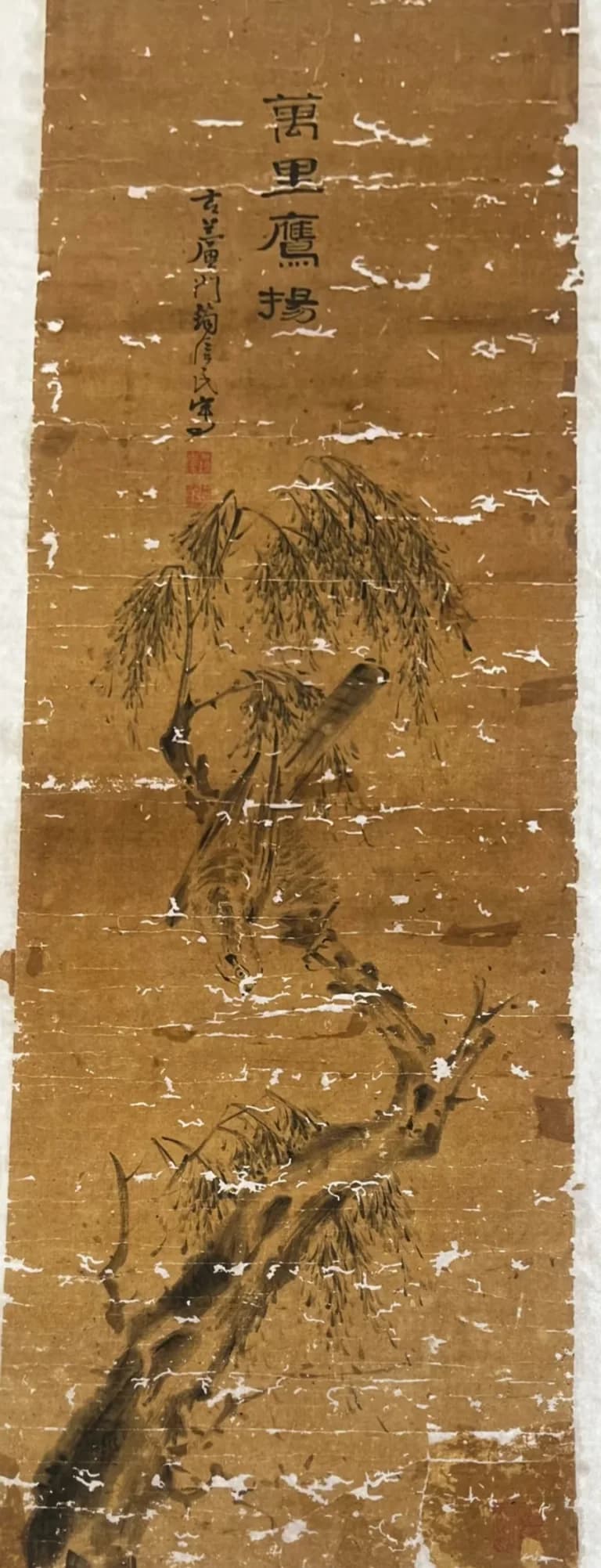
In the restoration example, the model is asked to repair missing areas while retaining the original ink technique, tonal transitions, feather texture, and composition. This illustrates an important production principle: state both what should change and what must remain visually consistent.
5. Multilingual rendering supports regional campaigns
Qwen Image 3.0 can natively render 12 languages and work across more than 100 visual styles. The official release demonstrates Japanese, Korean, and Spanish text across editorial and commercial compositions.

The Korean fashion guide combines a large display headline, product specifications, color variants, supporting copy, and a set of coordinated lifestyle images. For global teams, this can make localization more efficient: preserve the composition while adapting copy and cultural context for each market.
6. World knowledge enables more specific visual concepts
The model's visual knowledge extends to familiar interfaces, artistic references, and information-rich formats. The official livestream example places recognizable historical artists in a contemporary creator setup while maintaining distinct materials, props, and on-screen branding.
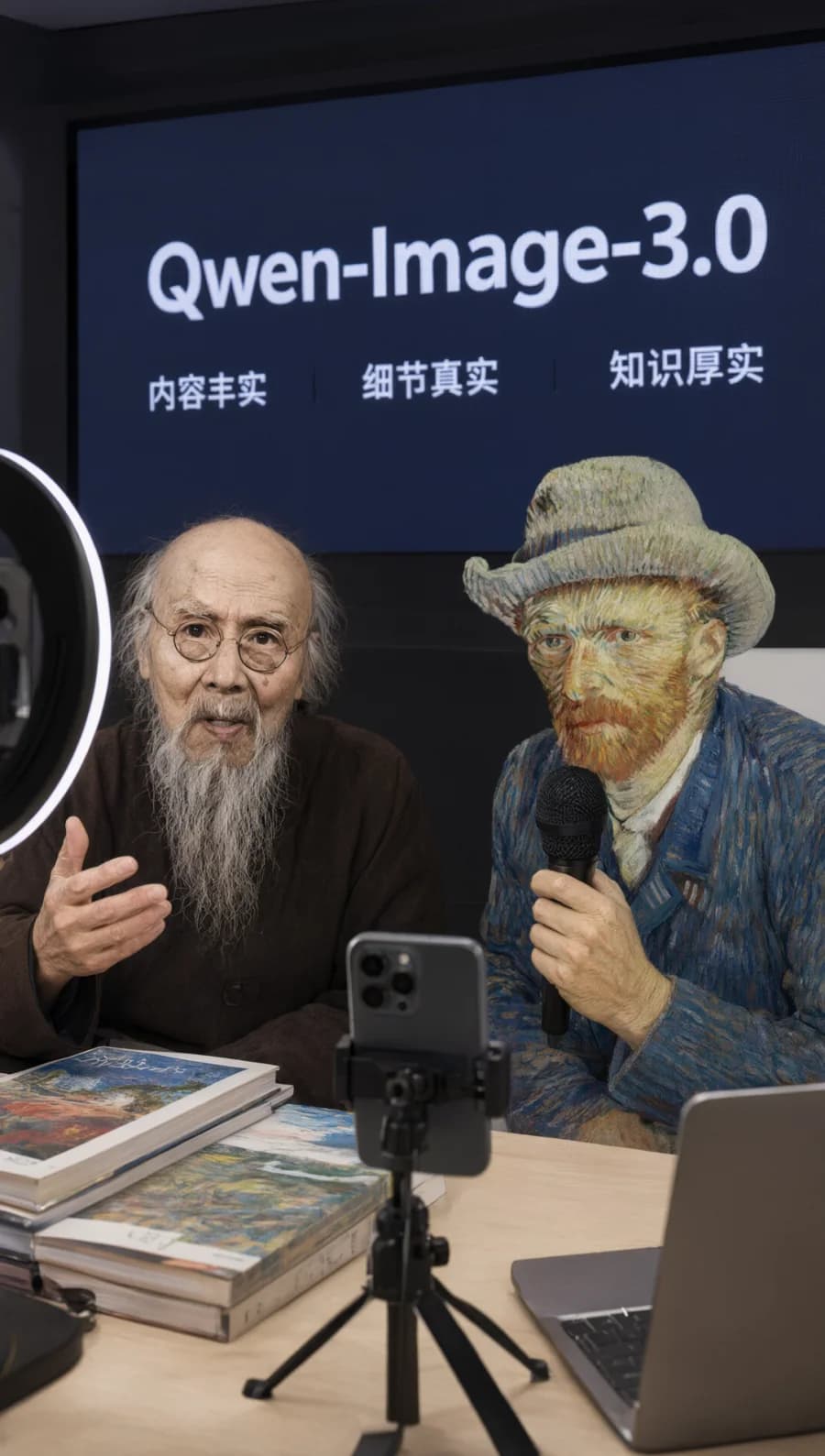
This capability can accelerate early concept work for social campaigns, storyboards, editorial illustrations, and branded entertainment. Any use of recognizable people, characters, artworks, or trademarks still requires an intellectual-property and usage-rights review.
These examples point to a more useful workflow: combine model knowledge with explicit source material, then verify factual and rights-sensitive output against trusted references.
Where creative teams can use the upgrade
Marketing and growth
Build campaign concepts, comparison graphics, social carousels, and localized ads from a single structured brief. Longer prompts make it easier to define hierarchy and required copy before generating.
Product and UX
Explore interface directions, onboarding screens, feature walkthroughs, and marketing mockups. Use the output to align on a visual direction before investing in production UI.
Education and publishing
Create worksheets, diagrams, storyboards, editorial layouts, and presentation visuals that combine explanation with illustration.
E-commerce
Develop product feature graphics, shopping guides, comparison panels, and regional campaign variations while retaining more small-scale visual detail.
How to write a production-focused prompt
A longer context window is most useful when the prompt has a deliberate structure. Organize the brief in this order:
- Outcome: State the asset type and where it will be used.
- Canvas: Define aspect ratio, orientation, and overall composition.
- Hierarchy: List the headline, sections, and reading order.
- Exact text: Put required copy in quotation marks and identify its language.
- Visual system: Specify palette, typography direction, lighting, materials, and style.
- Constraints: State what must remain legible, separate, or unchanged.
- Review criteria: Identify facts, text, and brand details that must be checked.
For example:
Create a 16:9 product comparison infographic for a SaaS landing page. Use a three-column layout with the exact headings "Starter", "Pro", and "Business". Place four short feature rows under each heading, keep all text horizontal and clearly legible, use a restrained blue and neutral palette, and leave clear space below the table for a call-to-action button.
Generate the structure first. Refine copy, color, texture, and secondary details in separate passes instead of changing every variable at once.
What still requires human review
Qwen Image 3.0 raises the ceiling for complex visual generation, but it does not turn generated images into automatically approved assets.
Before publishing, review:
- Exact spelling, punctuation, prices, and dates
- Mathematical, medical, legal, or scientific claims
- Brand names, logos, and intellectual-property usage
- Accessibility and contrast
- Cultural accuracy in localized campaigns
- Fine details at the final export size
The strongest workflow pairs generation speed with a clear approval process.
From attractive images to useful visual systems
The most important part of Qwen Image 3.0 is not a single aesthetic improvement. It is the combination of longer instructions, denser layouts, smaller readable text, multilingual rendering, realistic detail, and broader visual knowledge.
That combination can help creative teams move from isolated image experiments toward repeatable visual production. Start with one structured asset, define every required element, and review the output at its actual delivery size.