Move from concept to variation faster
Architecture and design teams often spend hours producing a render, then repeat the process when a client asks for a new material, atmosphere, or pose. Qwen-Image-Edit-2509 helps teams explore those variations with natural-language and visual instructions while preserving the parts of an image that should remain stable.
What the workflow enables
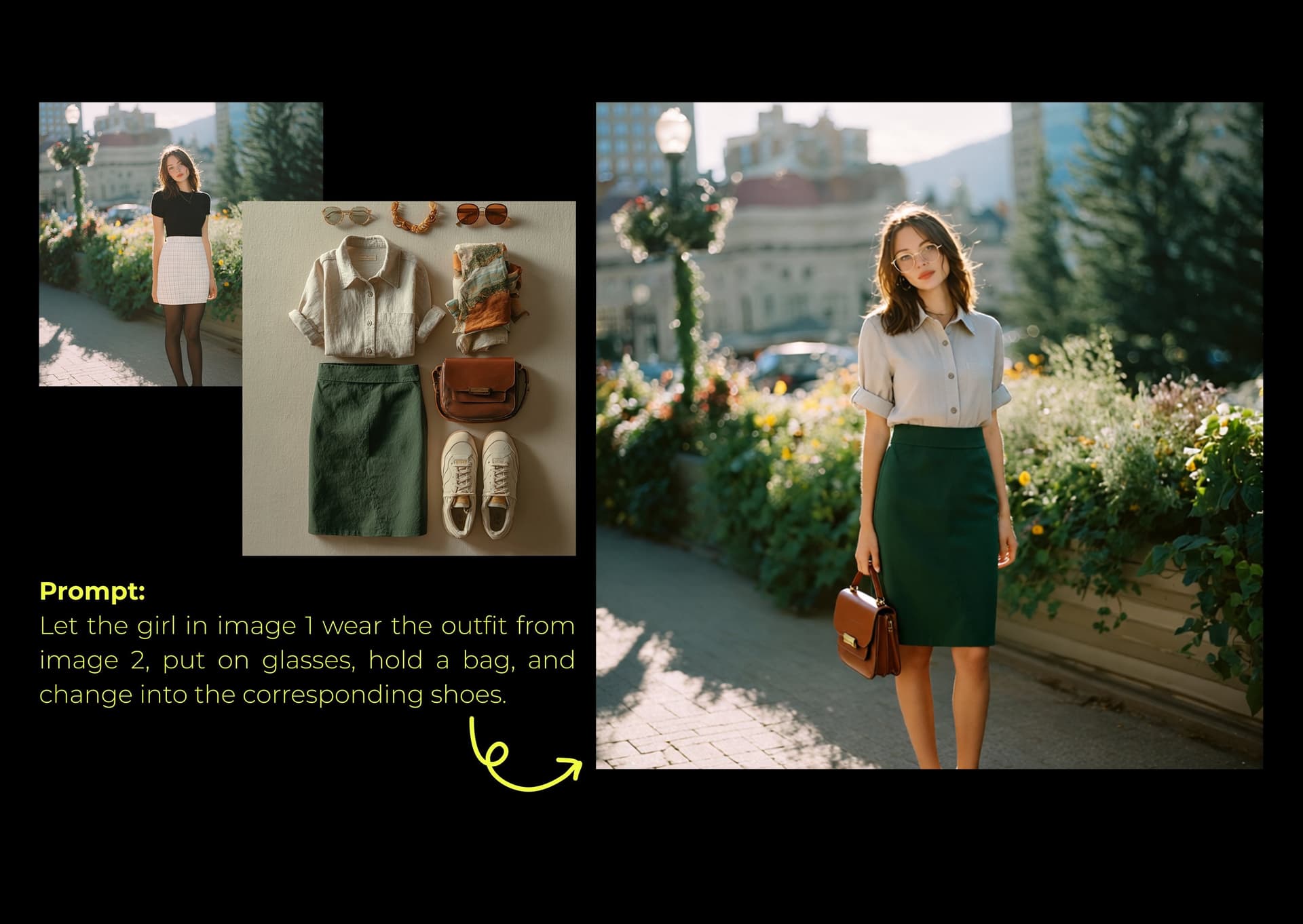
Imagine taking a modern glass tower and instantly giving it the look of Traditional Chinese patterns. Or making a simple city photo look hyper-realistic and futuristic.
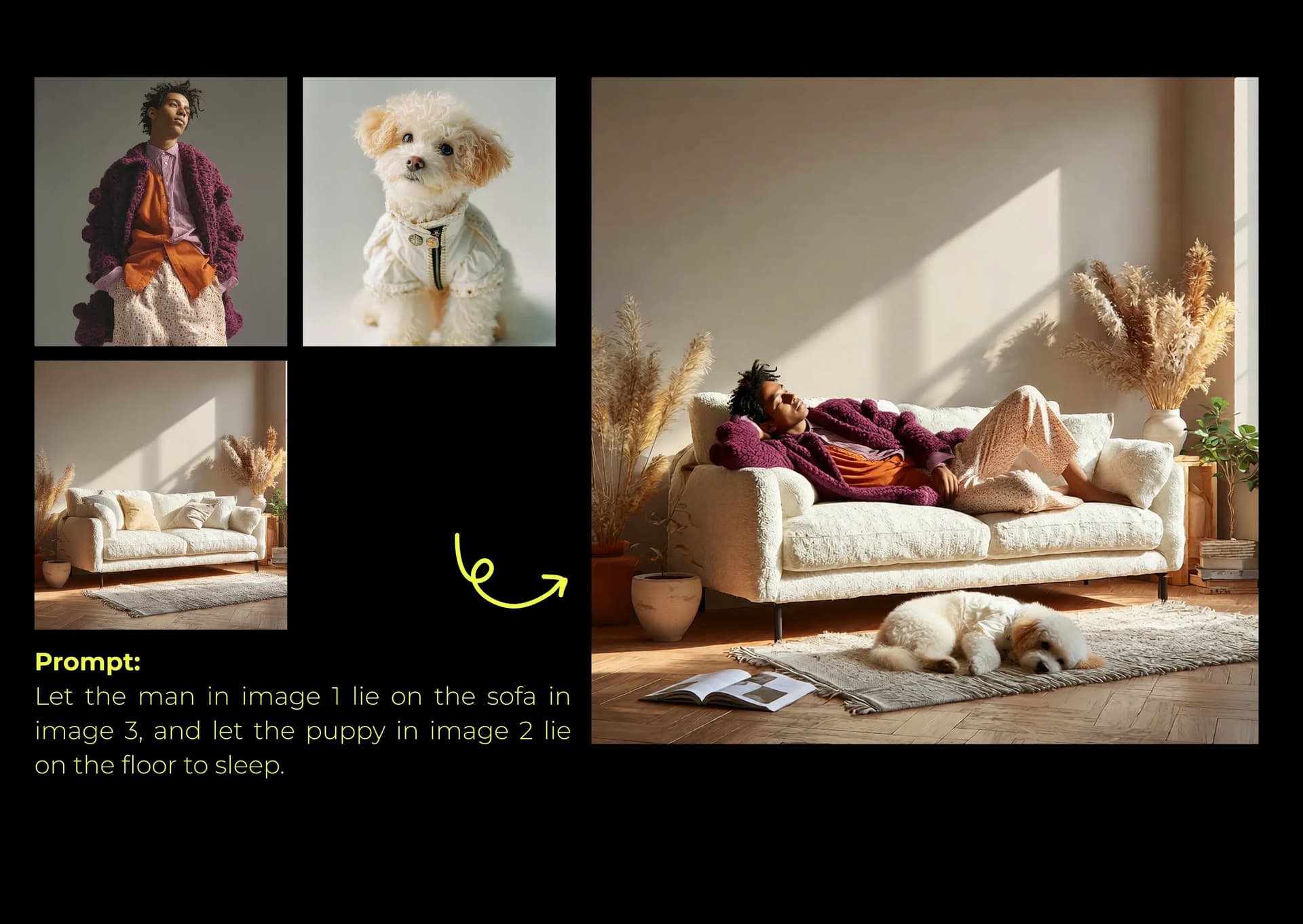
Qwen-Image-Edit-2509 interprets the subject, structure, and constraints described in a prompt. That makes it useful for early concept exploration, localized revisions, and pose-driven compositions. The examples below show three practical capabilities.
1. Make local changes while preserving constraints
The core value of this capability is allowing the user to make exact, localized modifications to an image while strictly preserving all other elements in the image.
- Shown in Example 1:
- The user issued a complex, multi-part instruction—to change the background (
Set the background to evening), - modify the clothing (
Change the skirt to shiny latex yoga pants), - and alter the expression (
Make the expression a smile).
- The user issued a complex, multi-part instruction—to change the background (
- Key Breakthrough:
- Crucially, the AI adheres to the constraint:
Do not change anything else. The model successfully handles all three disparate changes without affecting the subject's pose, lighting, or any unspecified details, ensuring highly accurate and controllable edits.
- Crucially, the AI adheres to the constraint:
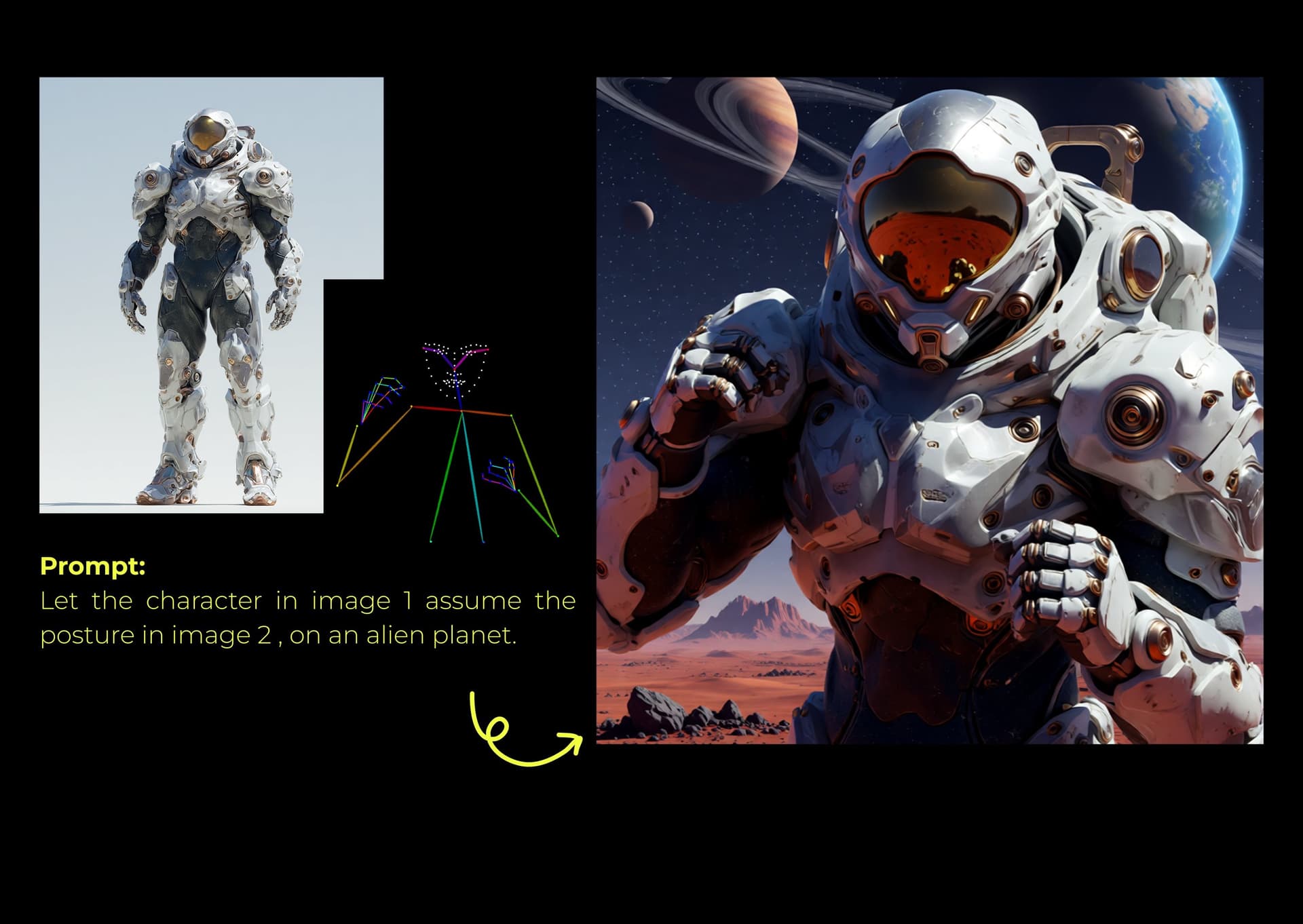
2. Use visual structure as an instruction
This capability allows the AI to understand abstract, non-pixel-level instructions and apply them to the image, enabling advanced structural control.
- Shown in Example 2:
- The community noted that "a stick figure can be used for pose instruction" (
棒人間がポーズ指示に使える).
- The community noted that "a stick figure can be used for pose instruction" (
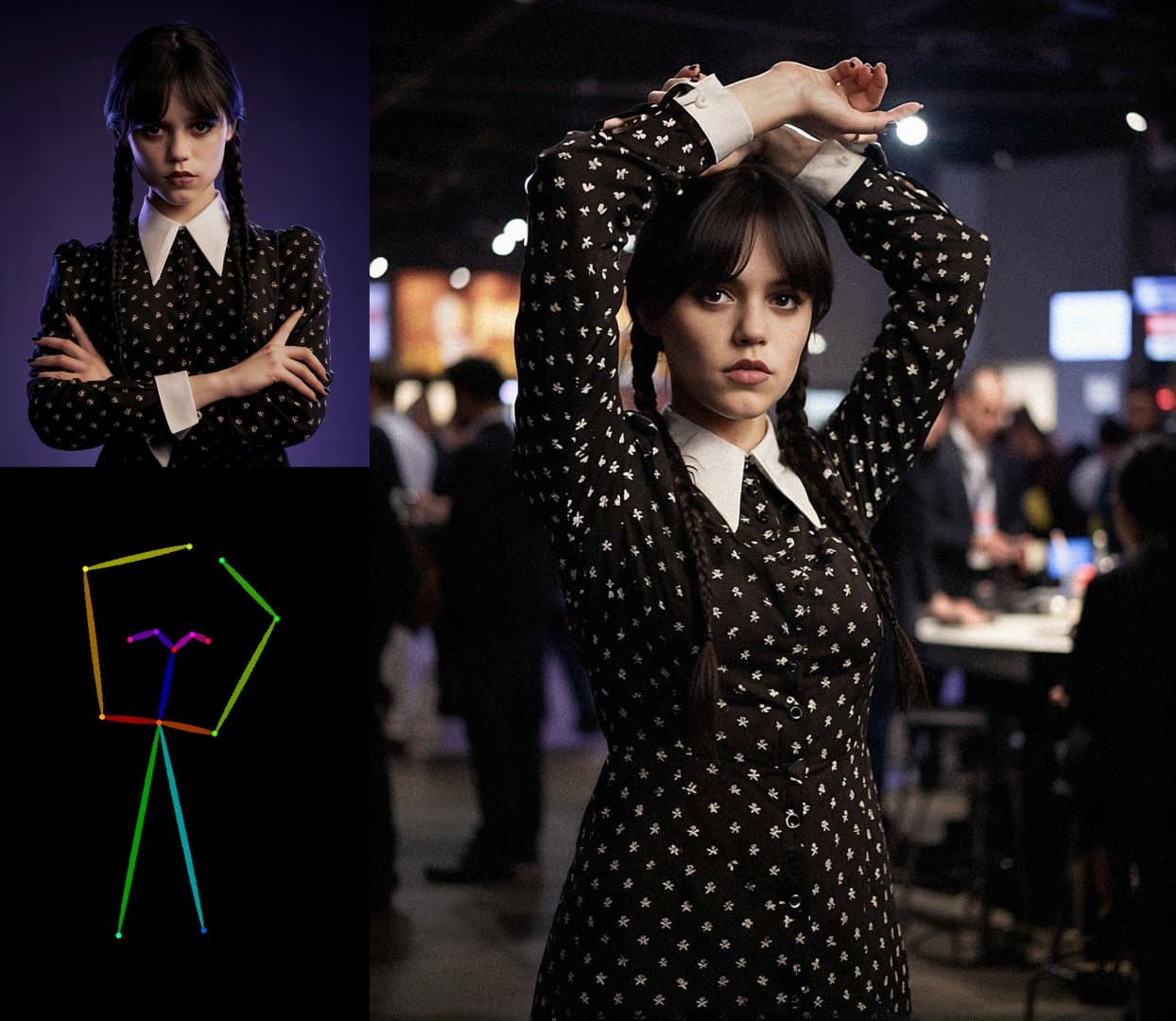
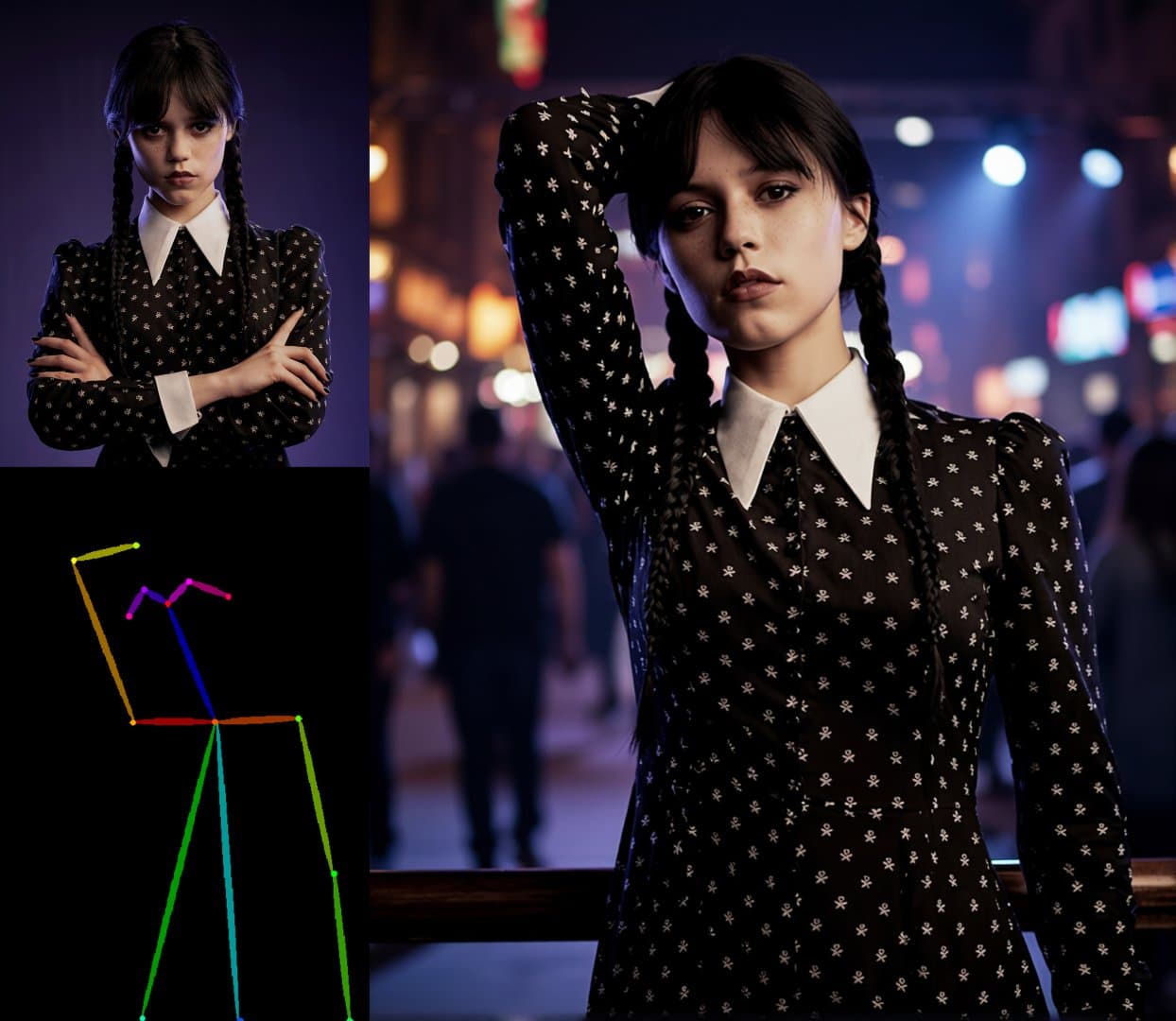
- Key Breakthrough:
- Qwen-Image-Edit-2509 treats a simple stick figure outline as a 3D pose instruction. It accurately maps this structural guidance onto the figure in the image, generating the desired posture. This overcomes the limits of describing complex poses purely through text, giving users a more visual and powerful way to control body structure.
3. Refine structure across multiple iterations
This capability provides users with a complete control flow, allowing them to edit the core structure of a subject even after the initial image has been generated.
- Shown in Example 3:
- The feature is referred to as
pose and repose.
- The feature is referred to as
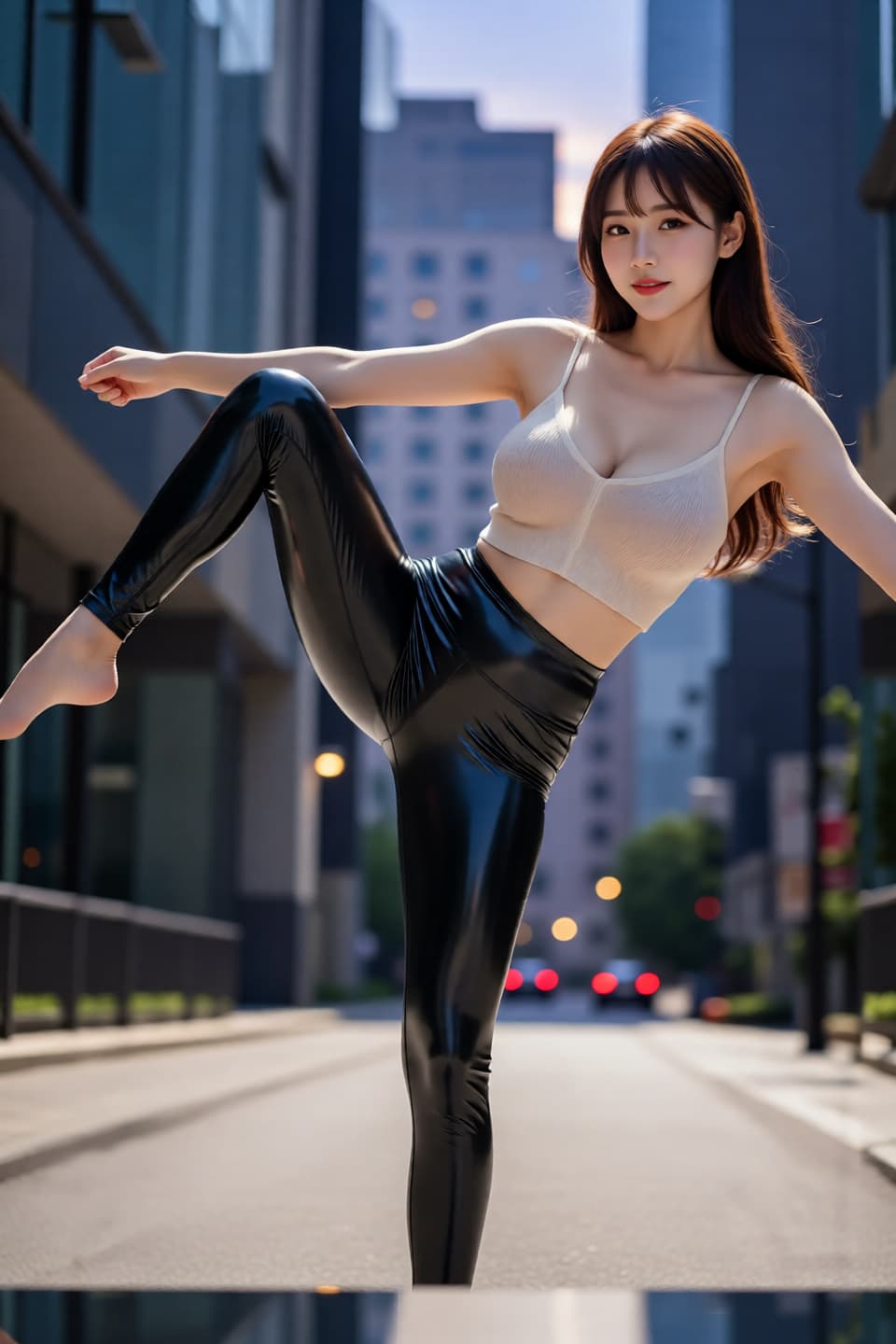

- Key Breakthrough:
- The AI not only supports specifying a pose during generation (
pose), but also allows users to modify the posture again (repose) of a figure already in an existing image. When re-posing, it maintains other details like clothing, facial features, and environmental textures without distortion. This demonstrates Qwen-Image-Edit-2509's continuous and reliable control over critical structural elements throughout the entire creative workflow.
- The AI not only supports specifying a pose during generation (
When to use Qwen-Image-Edit-2509
Use this workflow when you need to:
- Quickly turn a sketch into many styled, high-quality renders.
- Make tiny, precise edits to any image.
- Control a person’s pose with a simple drawing.
For production work, begin with a clear source image, request one group of related changes at a time, and explicitly name the elements that must remain unchanged. Review geometry and identity before refining materials, lighting, and presentation details.